
Your kid opens the laptop the way they always do, from one corner, and you hear a crack. Now there's a gap at the bottom of the screen and the lid feels loose. A laptop hinge broken or coming loose is one of those problems that's easy to ignore for a week, and that's exactly how a small repair turns into a cracked screen.
Quick answer: If your laptop hinge is broken, creaking or splitting the case, stop opening the lid all the way and avoid forcing it. A laptop hinge broken early usually means a hinge or mount repair, but continued use can crack the case and damage the display cable or screen.
Five signs your hinge is failing
Hinges rarely snap all at once. They usually warn you first:
- Creaking or cracking sounds when you open or close the lid.
- A gap or bulge opening near the bottom corners of the screen or at the back of the base.
- A loose or floppy screen that won't stay at the angle you set.
- A lid that suddenly feels stiff or needs more force than before.
- Flicker or lines on the screen when you move the lid, a sign the display cable through the hinge is being pinched.
Rather have it checked? We service MacBook Air, MacBook Pro and Windows laptops in Albany. Call (518) 330-9899
Why laptop hinges break
The hinge itself is usually metal. What breaks is often what it's attached to.
- Plastic mounts and inserts. On many consumer laptops, the hinge screws into small metal inserts set in plastic. When the hinge gets stiff, those inserts pull out of the plastic and the case starts to split.
- Opening from one corner. This twists the lid and puts all the force on one hinge.
- Picking the laptop up by the screen. Very common with kids and teens.
- Drops, especially landing on a corner while open.
- 2-in-1 and 360-degree hinges. Convertibles like the Lenovo Yoga, HP Envy x360 and HP Spectre x360 have hinges that do more work, and folding them back repeatedly adds strain.
- Age. Hinges can get stiffer over the years, which puts more stress on the mounts.

What to do right now
If you suspect a laptop hinge broken or loosening:
- Stop opening it fully. Open it only as far as you need, gently, from the center.
- Don't force it closed if it catches or feels stiff.
- Back up your files in case the display cable is damaged further.
- Use an external monitor if you need to keep working, and leave the lid in one position.
- Bring it in sooner rather than later.
Don't:
- glue the case together, which makes a proper repair harder
- tighten screws you can see from outside without knowing what they hold
- tape the lid in place and carry on using it
- keep folding a damaged 2-in-1 into tablet mode
The display cable runs through or right next to the hinge. A wobbly hinge pinches and twists it every time you open the lid, and a damaged cable means flicker, lines or a black screen.
How hinge repairs work
The fix depends on what failed:
- Loose hinge or screws: sometimes the hinge only needs securing or adjusting.
- Broken mounts or inserts: the mounting points are rebuilt or the cracked part of the case is replaced.
- Broken hinge: the hinge itself is replaced.
- Cracked case or bezel: the back cover, screen bezel or base panel is replaced along with the hinge.
- Damaged display cable or screen: these are replaced too if the hinge failure has already hurt them.
Parts vary by model. Manufacturer sites like HP's support site let you look up your exact model number, which is handy to have when you visit.
What about MacBooks?
MacBook hinges are very sturdy, but they're built into the display assembly. If a MacBook hinge is damaged, the repair usually involves the display assembly rather than a separate hinge. A loose MacBook lid or flicker when moving the screen often points to the display cable; see our guide to MacBook screen flickering.
For parents: hinges and kids
Families in Guilderland, East Greenbush and Selkirk see a lot of hinge damage on kids' and teens' laptops, and it's easy to understand why. Laptops get grabbed by the lid, carried open from room to room, and dropped onto beds and floors.
A few house rules help a lot:
- Open from the middle, with one hand holding the base.
- Close it before carrying it. Always.
- Never pick it up by the screen.
- Use a padded sleeve in backpacks; check our accessories for options.
- Don't stack books on a closed laptop.
School-issued laptops and Chromebooks
If your child's laptop or Chromebook was issued by their school, check with the school before any repair. Many districts own the devices and have their own repair process. If it's your own family device, we can take a look.
Is a laptop hinge broken worth fixing?
Usually, yes, especially if you catch it early. A laptop hinge broken before the screen is damaged is typically a much smaller job than one that's been used until the display cracked.
It may not be worth fixing if:
- the laptop is very old and slow for what you need
- the screen, keyboard and battery are also worn out
- the laptop can't run supported software anymore
Our guide on how long laptops last can help you decide whether to invest in a repair.
Bring it to MT Phone Fix Planets
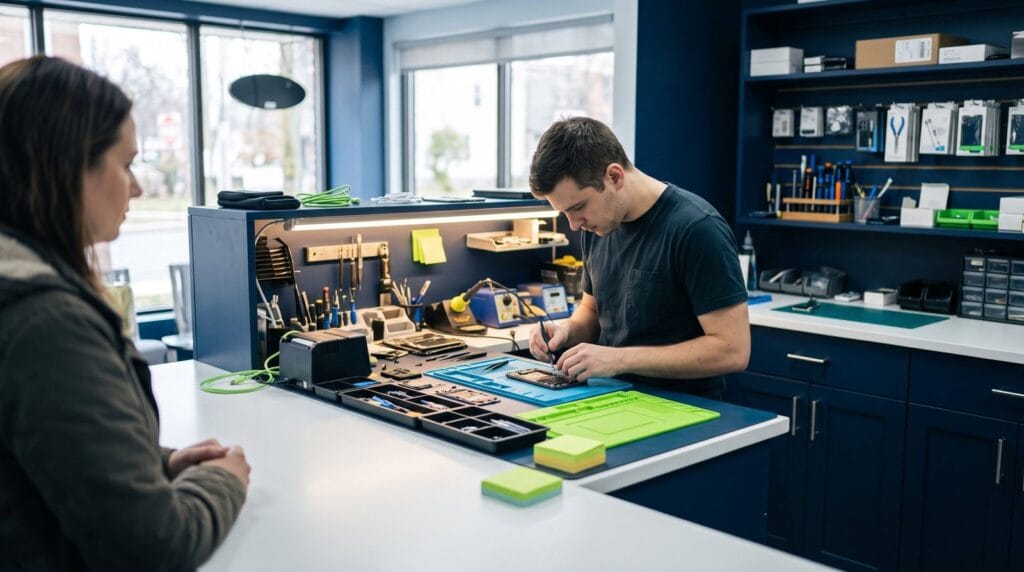
If your laptop hinge is broken, creaking or loose, bring it to MT Phone Fix Planets at 232 Washington Ave, Albany. We'll check the hinge, mounts, case and display cable and explain the options before any work starts.
We're open Mon–Sat 10 AM – 9 PM, Sun 10 AM – 8 PM. Walk in, see our repair services, or contact us with your laptop's make and model.
Frequently asked questions
Can I keep using a laptop with a broken hinge?
It's risky. Every time you open it, the broken hinge can crack the case further and damage the display cable or screen. Limit opening it until it's repaired.
Why does my laptop hinge make a cracking sound?
Usually the hinge has become stiff or its mounting points are breaking away from the plastic case. It's a sign to get it checked before the case splits.
Can a laptop hinge broken on one side be repaired?
Yes. Often the hinge, its mounts or the cracked part of the case can be replaced or rebuilt, depending on the model.
Is hinge damage common on 2-in-1 laptops?
Convertibles with 360-degree hinges, like many Yoga and x360 models, put more strain on their hinges, so it's worth treating them gently.
Can I fix a laptop hinge with glue?
We don't recommend it. Glue rarely holds under hinge stress and makes a proper repair harder later.
Keep reading
Laptops & MacBooks
MacBook Screen Flickering or Showing Lines? How to Tell Software From Hardware
A flicker, a line or a strange glow at the bottom of the screen can be a setting or a failing part.…
Laptops & MacBooks
MacBook Keyboard Not Working? Settings to Check Before You Book a Repair
Dead keys, double letters or a whole keyboard that won't respond? Half the time it's a setting. Here's how to tell, and…
Phone Problems
iPhone 16 Problems: Camera Control, Battery Drain, Frozen Touch and Cracked Screens
The Camera Control button zooms on its own, the battery dips faster than it should, or the glass finally cracked. Here's what's…